A tool for field audit managers
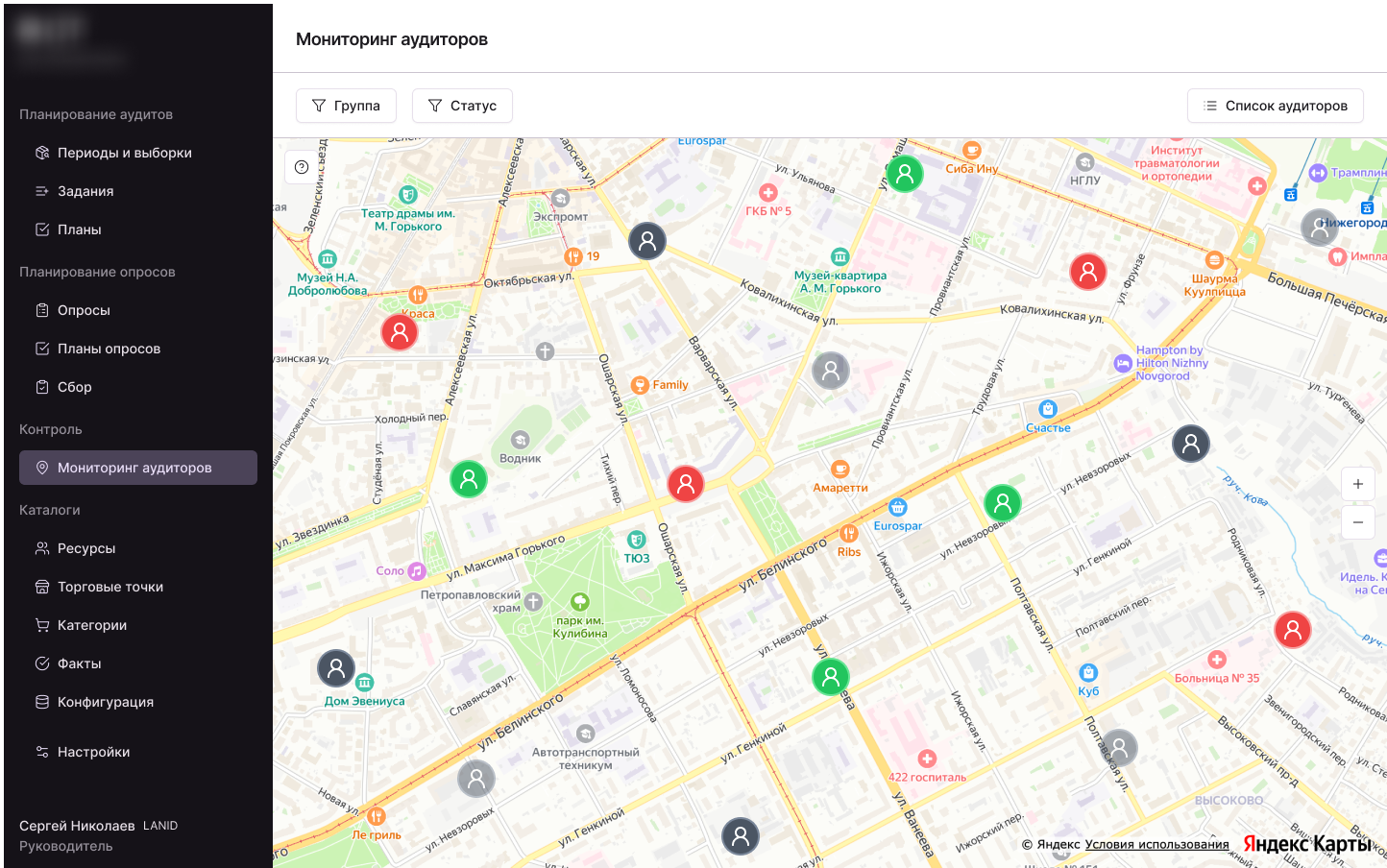
An ecosystem for field audits of retail locations: a mobile app for auditors and a web portal for managers. Each manager oversees dozens of auditors, each completing assignments at different retail locations around the city every day.
A manager could only find out where an auditor was and how their day was going by calling or messaging them. With dozens of auditors reporting to one manager, this doesn't scale: the manager's job turns into constant phone calls instead of oversight. What was needed:
- see all auditors on the map at once, with filters by group and status;
- quickly find the right person and open their card;
- view an auditor's route for the day;
- open details for any location: from the list or directly from the map.
I brought all auditors together on one map so the manager could see everyone's status at a glance, without manual searching: each pin shows status by color. I moved the "Group" and "Status" filters to the top so the list could be narrowed without leaving the map.
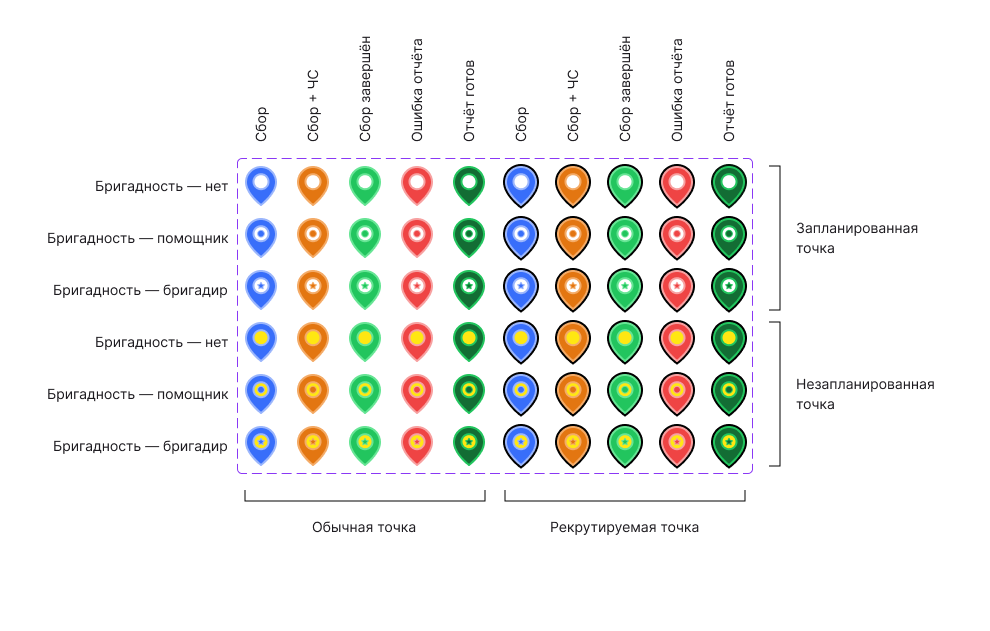
I chose color, not icons, for statuses: there are more than ten, and each would have needed its own icon. Color reads faster.
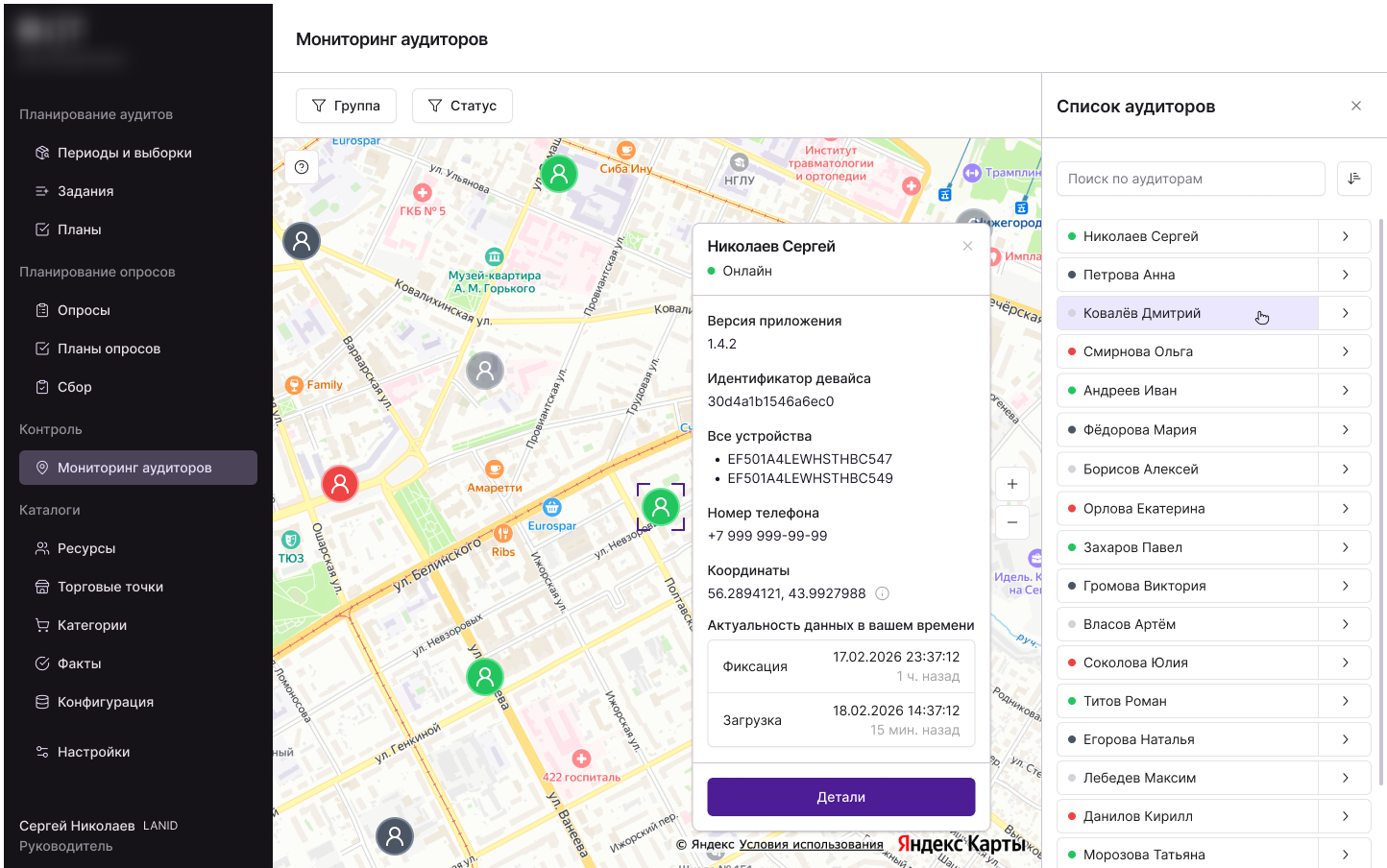
I made it so that clicking a row in the list and clicking a pin on the map both lead to the same auditor card, instead of two different interfaces for one action. The card shows status, device, app version, and data freshness: everything needed to check at a glance.
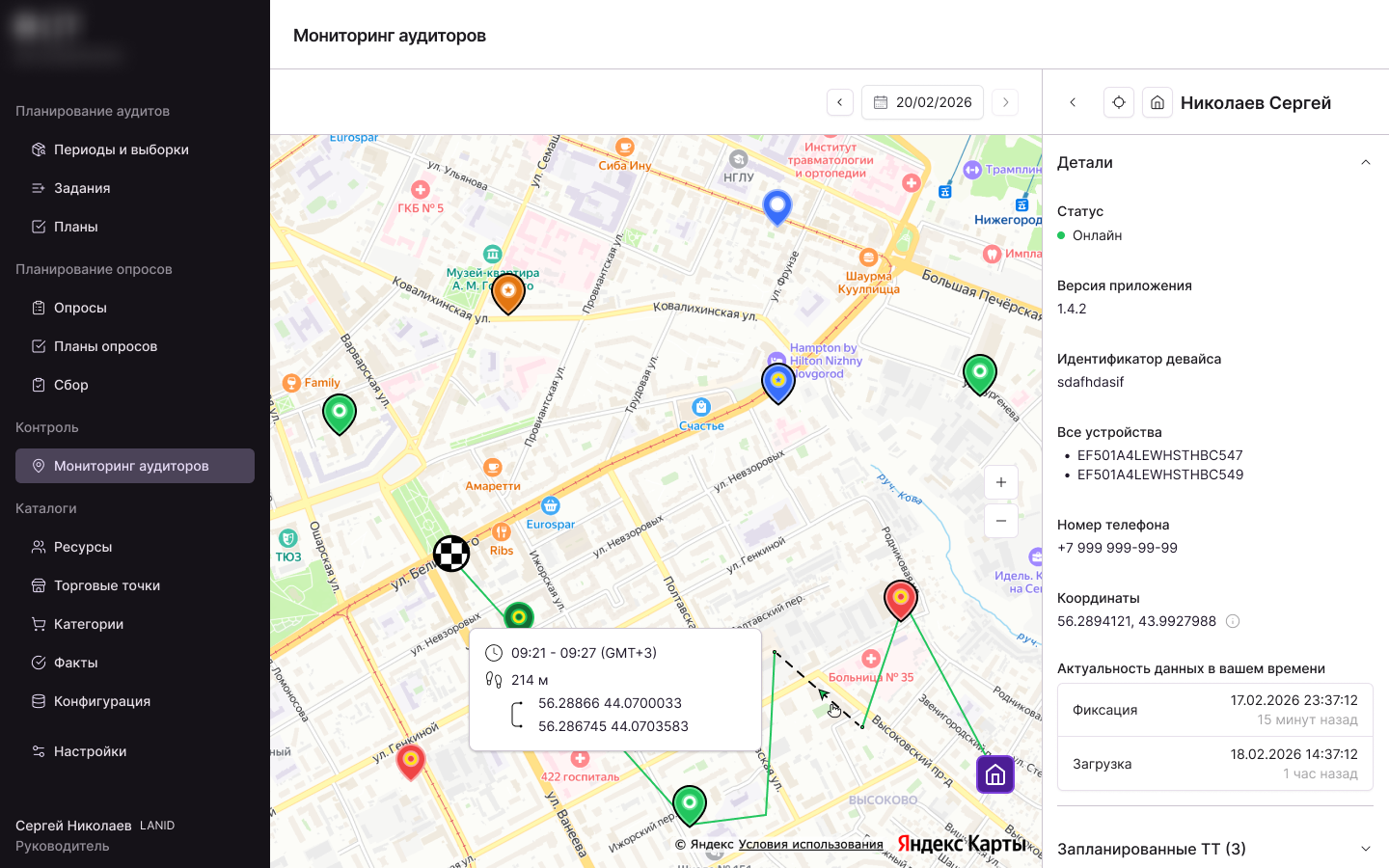
I showed the auditor's route for the day so the manager could see progress without calling. I hid travel time between points behind a click on the segment rather than showing it right away: I didn't want to clutter the map with numbers.
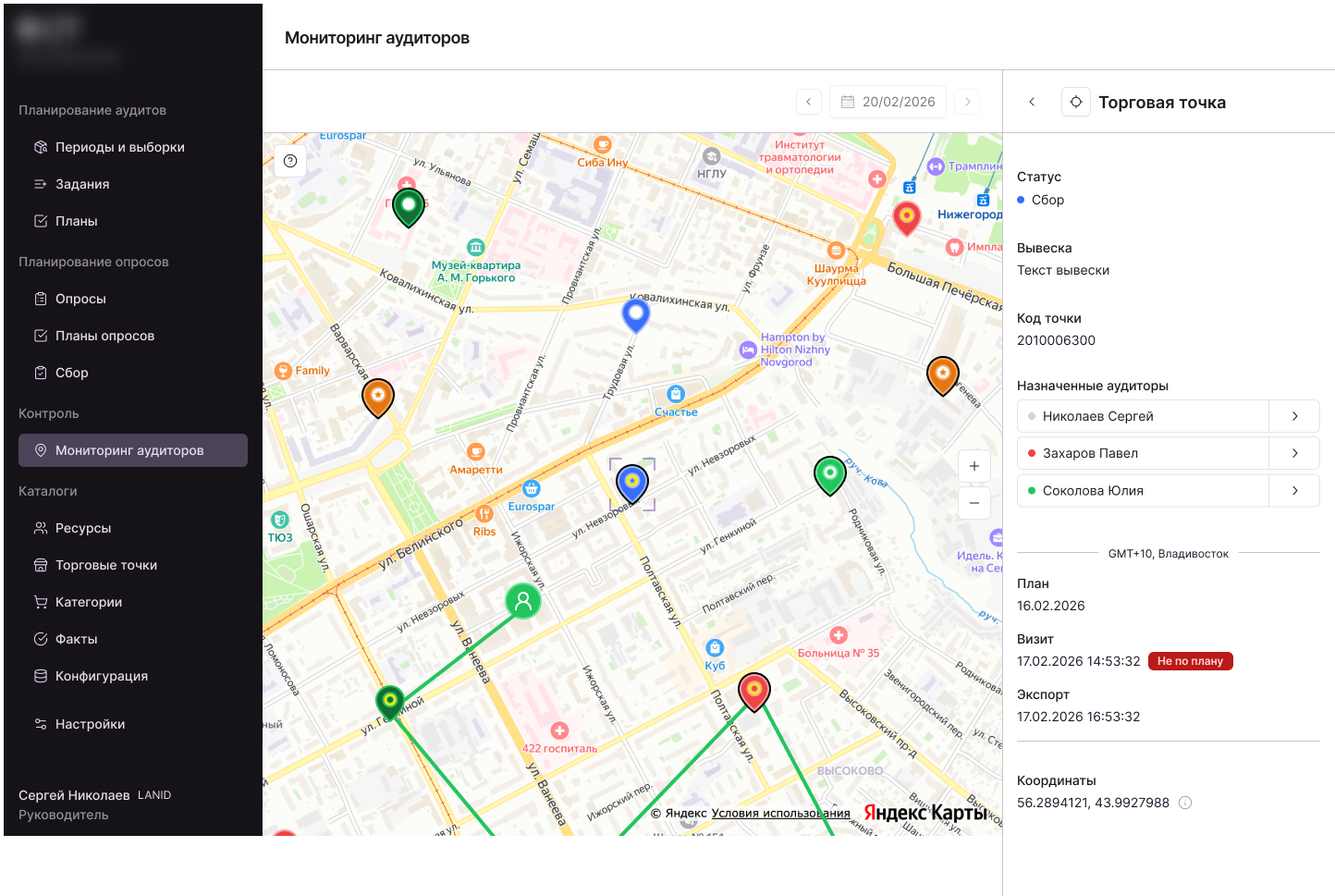
I gathered everything that used to require checking in different places into one card: collection status, signage, assigned auditors, planned and visit dates. That way there's no need to switch between systems for one question.
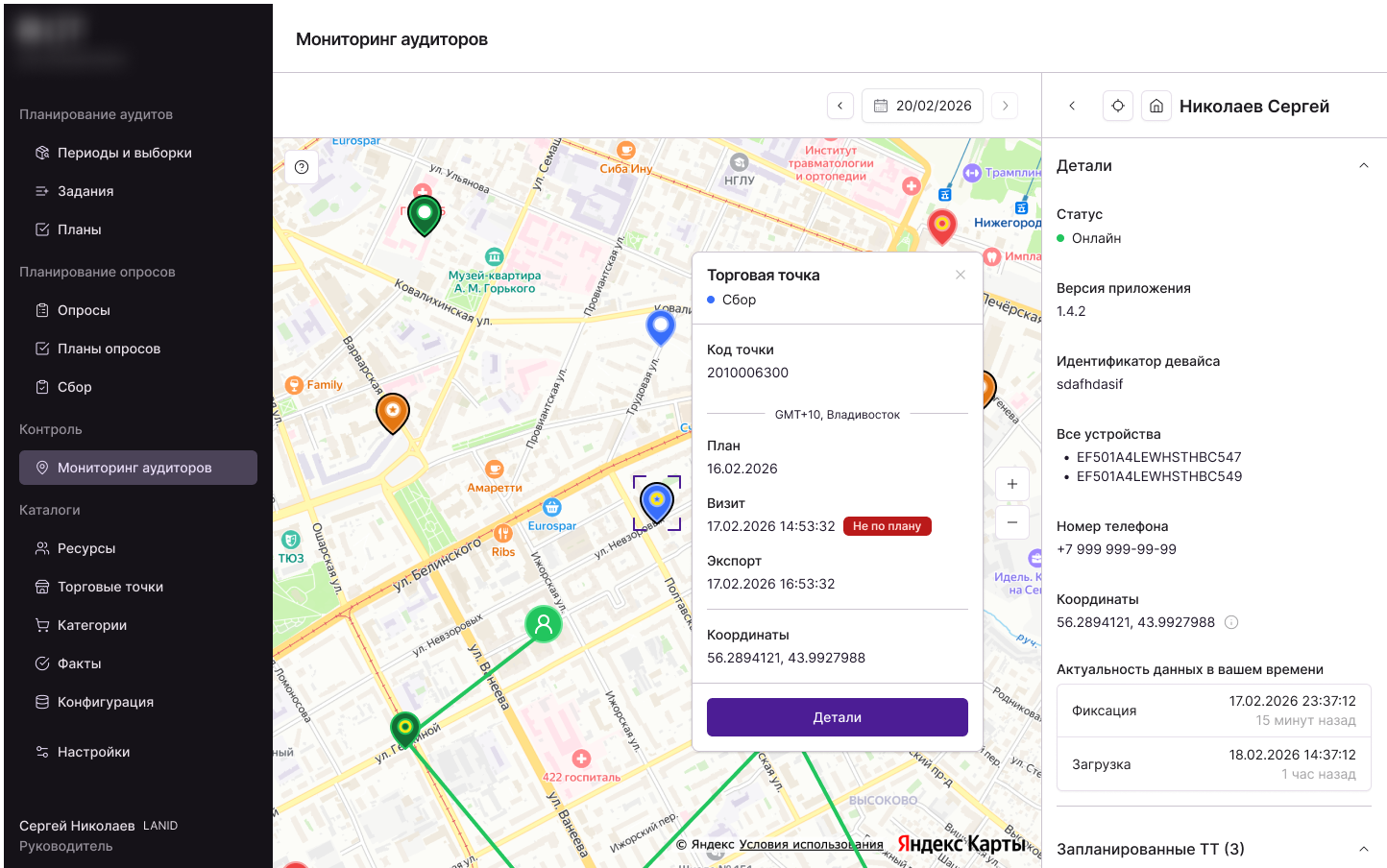
Besides the full card in the sidebar, I also made a popup with details, so a location or auditor could be checked on the fly without leaving the map.
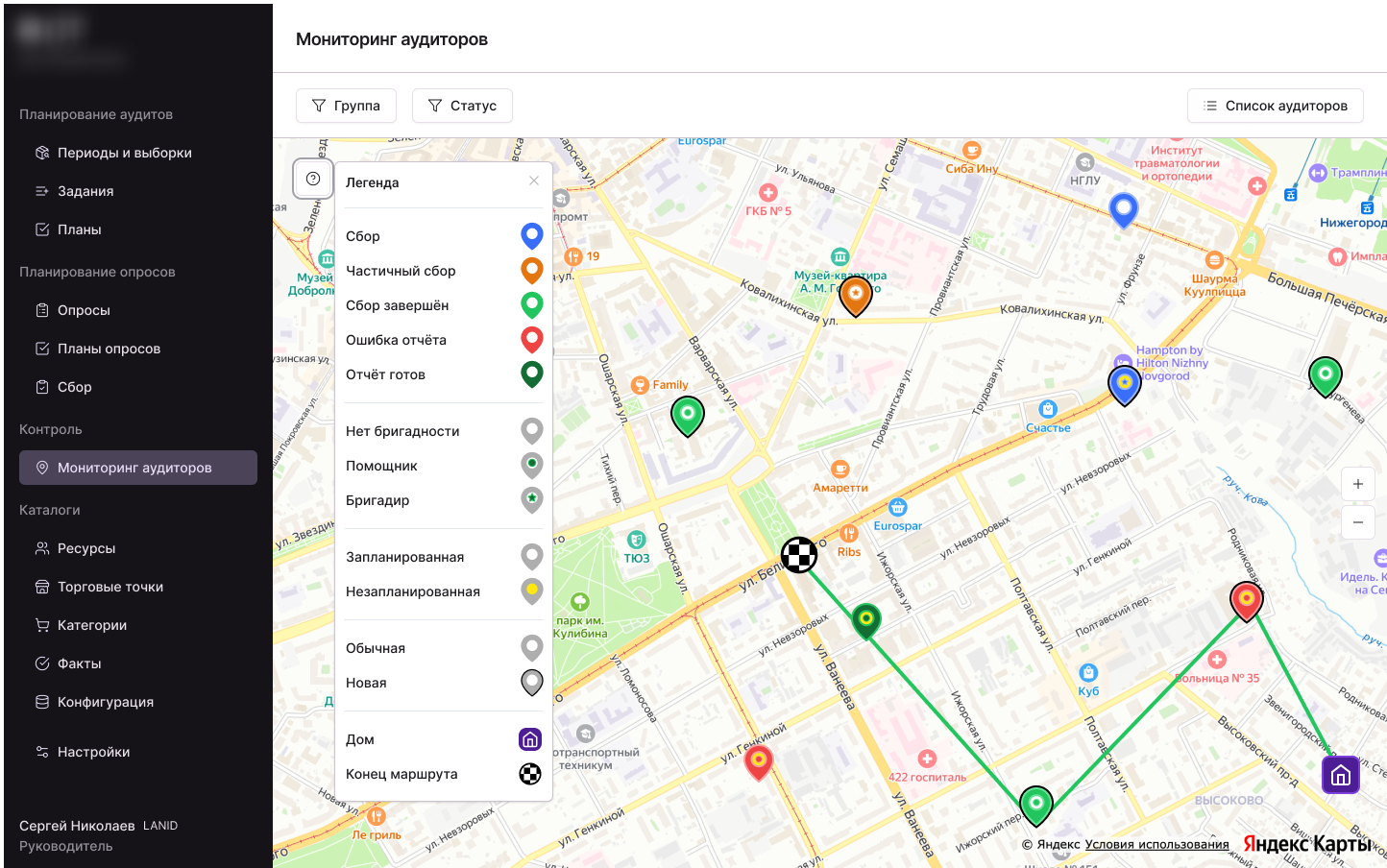
The map legend is split into meaningful groups rather than one long list. For example, an outline on a pin separately marks a new location, so it doesn't get lost among the other statuses.
The manager sees all auditors at once and filters by group and status.
Quickly finds a specific person through search and opens the same card from the map or the list.
Views an auditor's route for the day and sees travel time between points without calling.
Opens retail location details the same way from the overview map and from a specific auditor's map.
The feature was accepted and is in production: the manager's web portal works on both desktop and mobile browsers. The brief's goals were met: managers stopped calling auditors to find out where they are and what they're doing, it's become faster to find the right person, and easier to keep track of field work.